Never Overpay on Whop Again
Promo Drop is a free Chrome extension that automatically finds promo codes and cashback deals on Whop product pages. Stop searching. Start saving.
Free forever. No account required. No data collected.
Popular Whop Promo Codes
Promo codes, plans and prices for the most popular products sold on Whop. For any other Whop product, add the free extension: it scans 10,000+ Whop products for codes and cashback.
- Divine promo codeCook Groups · from $35/month
- Skylit promo codeOptions Trading · from $149/month
- Stocks with Josh promo codeTrading Signals · from $49/week
- GOAT Sports Bets promo codeSports Betting Picks · from $9.99
- Parlay Science promo codeSports Betting Picks · from $30 every 14 days
- Social Impact promo codeTiktok Shop · from $97
- Wealth Group promo codeCrypto Trading · from $250/month
- Alertsify promo codeOther · from $99/month
- Tool Suite promo codeOther · from $29.95/month
- Trust My System promo codeSports Betting Picks · from $49.99/week
- Lunch Money promo codeTrading Cards · from $25/month
- Black Box promo codeCook Groups · from $4.99/month
- Deal Soldier promo codeCook Groups · from $44/month
- Owls Options Traders promo codeTrading Signals · from $59.99 every 28 days
- 6-Figure Creator promo codeTiktok Shop · from $1,297
- Hidden Society promo codeCook Groups · from $49.99/month
- Friends and Family promo codeCook Groups · from $6/week
- Stock Talk Insiders Trading Club promo codeTrading Signals · from $179/month
- Your First Dollar promo codeCreator Sponsorship Marketplace · from $50/month
- Hold My Hand Wholesale promo codeReal Estate Wholesaling · from $9.99/month
- Stock Levels University promo codeOptions Trading · from $200/month
- Stellar AIO promo codeResale Arbitrage · from $150/3-months
- Juiced Bets promo codeSports Betting Analytics · from $29.99 every 14 days
- Potion Alpha promo codeCrypto Trading · from $50/month
- Team Bull Trading promo codeTrading Signals · from $27
- Ad Revival promo codeMarketing Agency
- Hobby Hangout's Discord Server promo codeCard Marketplace · from $20/month
- Beer Money Picks promo codeSports Betting Picks · from $15 every 3 days
- Kaizen promo codeCrypto Trading · from $550/3-months
- Profit Lounge promo codeCook Groups · from $90/month
- Crystal Academy promo codeTechnical Analysis · from $65/month
- Mogul Stock Group promo codeTrading Signals · from $4.99/month
- Trade With Insight promo codeTrading Signals · from $69/month
- Ecom Tools promo codeProduct Research · from $29.99/month
- Media Metas promo codeCreator Monetization · from $40/month
- Prop Fellas promo codeSports Betting Picks · from $40/month
- Bet Recaps promo codeArbitrage And EV Betting · from $30/month
- Big Gains Club promo codeTrading Signals · from $29.97/week
- Honey Drip Network promo codeTrading Signals · from $25/month
- The Haven promo codeCrypto Trading · from $99/month
- Luxury Tools promo codeOther · from $29.95/month
- Ecom University promo codePaid Ads · from $97/month
- Dodgy's Dungeon promo codeSMC Trading · from $40/month
- Spy Essentials promo codeOther · from $19.99/month
- Black Tie Analytics promo codeOther
- RT Picks promo codeSports Betting Picks · from $30 every 14 days
- Official Picks promo codeSports Betting Picks · from $39.99/week
- The Options Cartel promo codeTrading Signals · from $45/month
See It in Action
Three ways Promo Drop saves you money, automatically.


How It Works
Three steps. Under 30 seconds. Start saving immediately.
Install the Extension
Add Promo Drop to Chrome for free. One click, no account required, no configuration needed.
Browse Whop Normally
Visit any product page on whop.com. Promo Drop scans for active promo codes automatically in the background.
Save Instantly
Copy the promo code with one click, or claim cashback if no promo exists. Track everything in your free dashboard.
Everything You Need to Save
Promo Drop is packed with features designed to make sure you never miss a deal.
Automatic Detection
Promo codes are found the moment you visit a Whop product page. Zero effort, zero searching, zero waiting.
On-Page Scan Button
A floating scan button on every Whop page lets you manually check for deals anytime with a single click.
Cashback Claims
When no promo code exists, check if the product is eligible for cashback. Claim it in one click, paid to your Whop balance.
Savings Dashboard
Create a free account to track every promo code used and every cashback claim. See your total savings over time.
Privacy First
No tracking, no analytics, no cookies, no data sold. Your browsing stays private. We only work on whop.com.
Completely Free
No premium tier, no hidden fees, no trial period. Promo Drop is free forever for every user. No strings attached.
Real Savings, Real Results
Here's what Promo Drop looks like in action on a real Whop product page.
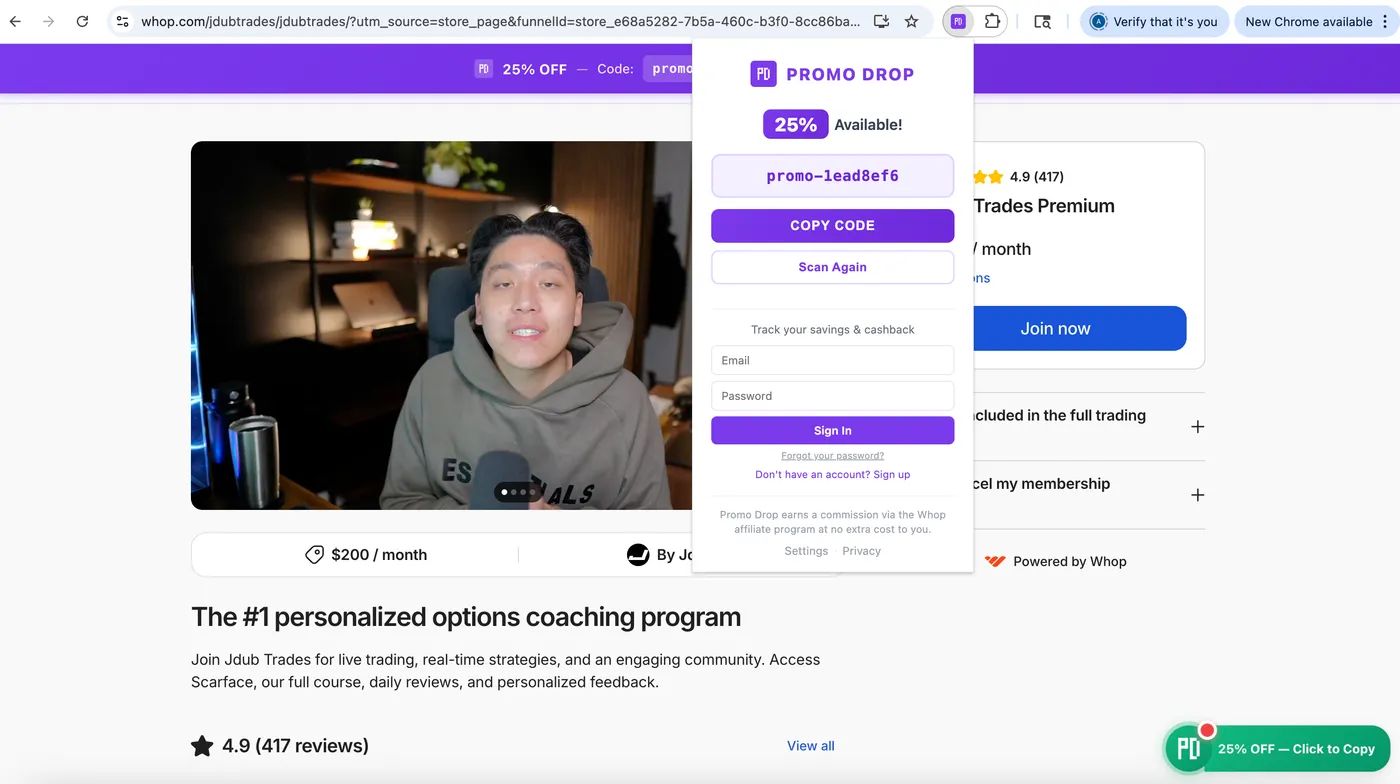
Extension popup showing a detected promo code with one-click copy, savings tracking, and account sign-in.

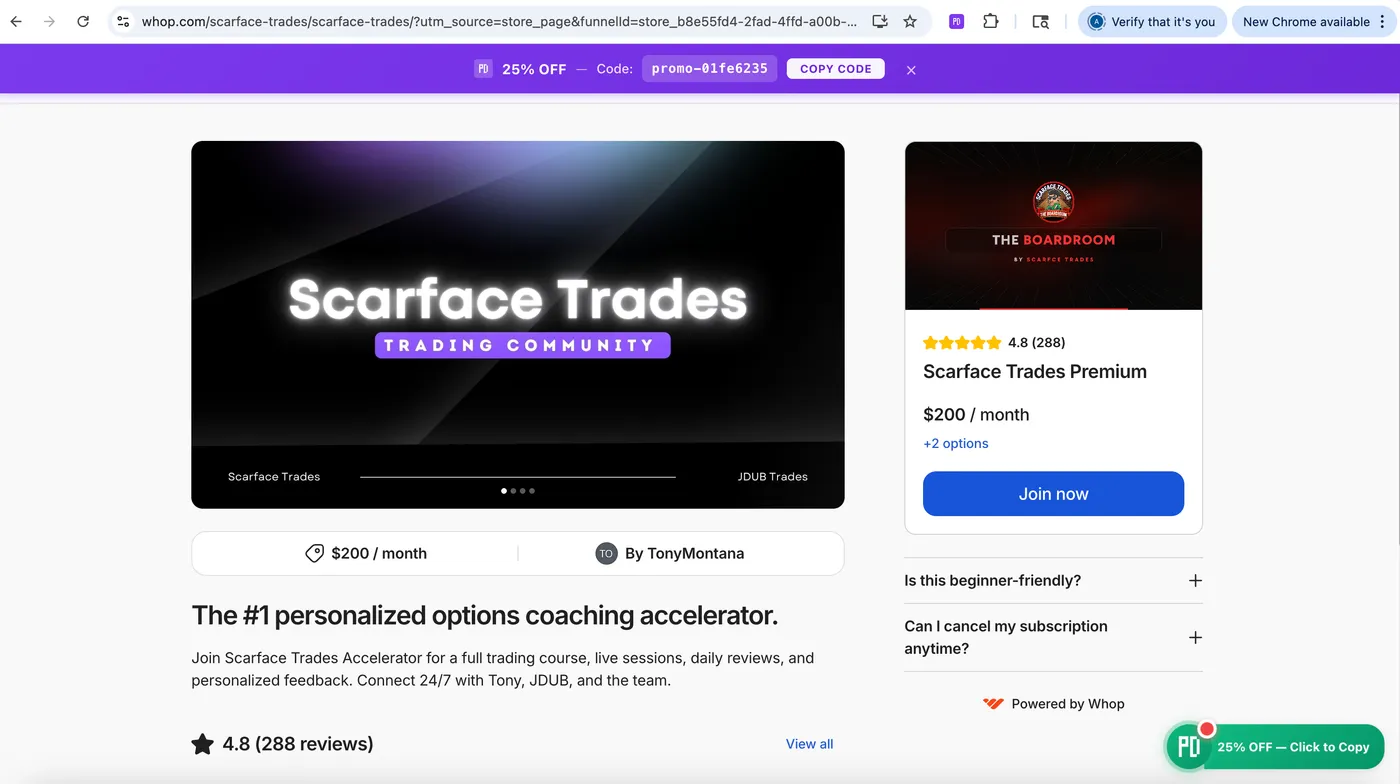
The promo banner appears at the top of the page with the discount and a COPY CODE button.
Track Every Dollar You Save
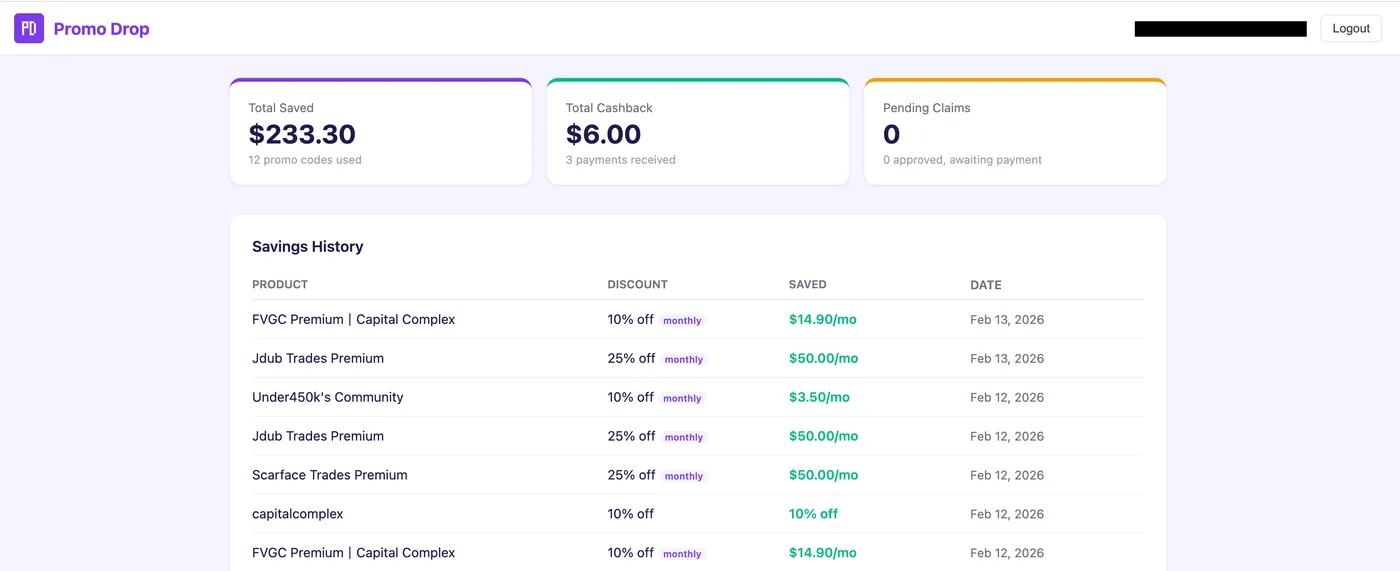
Create a free account to unlock the Promo Drop dashboard. See your total savings, cashback history, and every promo code you've used, all in one place.
- Total savings across all products
- Cashback payment tracking
- Full savings history with dates and amounts
- No cost, completely free to use
Transparent by Design
We believe you deserve to know exactly how things work.
How We Stay Free
When you use a promo code or claim cashback, an affiliate parameter is added to your Whop URL. This earns Promo Drop a small commission through the Whop affiliate program, at absolutely no extra cost to you.
What We Promise
- We never add affiliate links without your action
- We never overwrite other affiliate links
- We never charge you anything, ever
- We never collect or sell your data
Frequently Asked Questions
Everything you need to know about Promo Drop.
Is Promo Drop really free?
Yes, 100% free. There is no premium version, no trial period, and no hidden fees. Promo Drop sustains itself through affiliate commissions, which cost you nothing.
How does cashback work?
When no promo code is available for a product, Promo Drop checks if the product is eligible for cashback. If it is, you can claim it with one click. Cashback is paid directly to your Whop balance after a short processing period.
What data do you collect?
None by default. The extension doesn't track your browsing, use cookies, or collect analytics. If you create an optional dashboard account, only your email and savings data are stored securely.
Does it work on all Whop pages?
It works on any Whop product page automatically.
Do I need to create an account?
No. The extension works fully without an account. Creating a free account is optional and lets you track your savings and cashback history over time through the dashboard.
What's the affiliate parameter?
When you interact with a deal (copy a code, scan, or claim cashback), a small affiliate tag is added to the Whop URL. This is how Promo Drop earns a commission, at zero cost to you. We never overwrite existing affiliate links.
Ready to Start Saving?
Join thousands of Whop users who never overpay. Install Promo Drop in under 10 seconds.
Add to Chrome. It's FreeWorks with Chrome, Brave, Edge, and all Chromium browsers.
